IPTV buffering is almost always fixable, and in most cases the cause sits on your side of the connection rather than the provider’s server. This guide works through the fixes in the order most likely to solve the problem fastest.
Quick answer: IPTV buffering in Ireland? Fix constant freezing and lag with this complete troubleshooting guide covering routers, apps, devices and servers.
Table of Contents
- Most common causes of IPTV buffering
- Router and network fixes
- App and device-specific fixes
- When it is a server-side issue
- Frequently Asked Questions
Most common causes of IPTV buffering
Weak Wi-Fi signal, an overloaded home network with several devices streaming at once, an outdated app version, and peak-hour congestion on your broadband are the four most frequent causes, roughly in that order of likelihood.
Router and network fixes
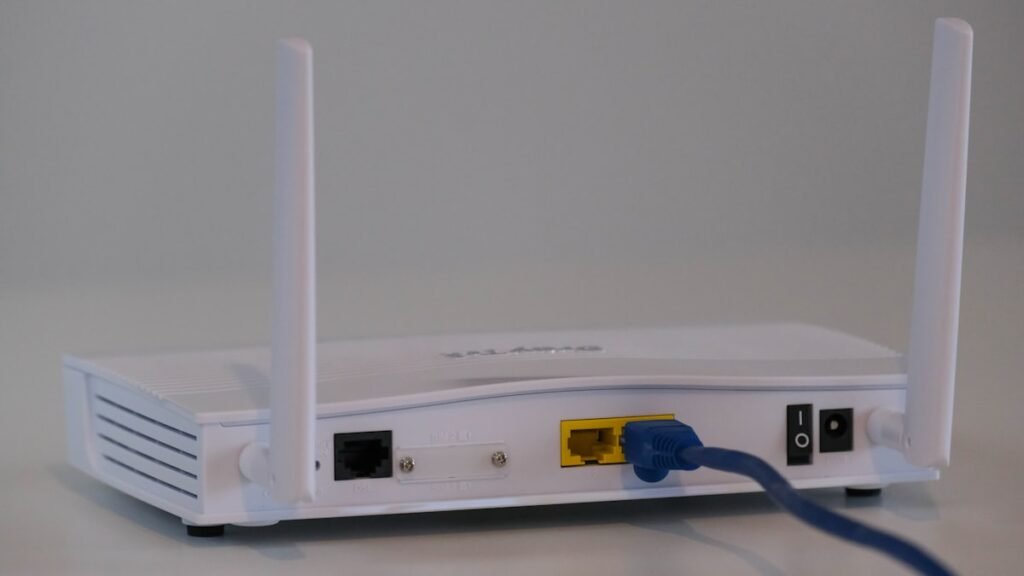
Restart your router first — it resolves a surprising share of buffering issues on its own. Move your streaming device closer to the router or switch to the 5GHz band if available. Where possible, connect your main TV via ethernet rather than Wi-Fi; a €10 adapter for a Firestick removes wireless interference entirely.
App and device-specific fixes
Clear the app’s cache and restart it before assuming a bigger problem. Confirm the app is updated to its latest version, since older versions sometimes handle certain channels’ streams poorly. If one specific channel buffers but others play fine, try switching the stream output format in the app settings between HLS and MPEGTS.
When it is a server-side issue
If buffering happens on multiple channels, multiple devices, and persists after a router restart and cache clear, the issue is more likely on the provider’s end — usually during a major live event with unusually high concurrent viewership. In that case, contacting support with the specific channel and time is the fastest path to a fix.
Frequently Asked Questions
Why does my IPTV keep buffering during live sport?
Peak-hour congestion and high concurrent viewership during major events are the most common causes; a wired connection helps significantly.
Does restarting my router really help?
Yes, a router restart resolves a large share of buffering issues by clearing network congestion and refreshing your connection.
Should I switch HLS or MPEGTS if one channel keeps buffering?
Yes, switching the output format in your app settings often resolves channel-specific buffering issues.
Ready to start streaming?
Request IPTV Ireland free trial | View plans | Setup guide
Next steps for IPTV Ireland viewers
Ready to test quality for yourself? Start with the IPTV free trial Ireland, compare IPTV Ireland pricing, or read the best IPTV Ireland 2026 guide. For setup help see Firestick Ireland and contact IPTV Ireland support.
Still choosing a service? Read best IPTV Ireland 2026 or compare IPTV vs NOW TV.
Frequently asked questions
Why does IPTV buffer only at night in Ireland?
Evening congestion on Wi‑Fi and peak sports traffic both hit streams. Use 5 GHz or Ethernet, pause large downloads, and test a lower quality profile in your player.
Does a VPN always help buffering?
Not always. A VPN can add latency. Try network fixes first, then test a nearby VPN server if your ISP throttles streaming. More context: VPN for IPTV Ireland.
Want the fuller picture on bandwidth and wired connections? See internet speed for streaming Ireland and Wi-Fi vs Ethernet for streaming.
Ready to watch IPTV in Ireland?
Try StreamerATV free on Firestick, Smart TV and mobile.